Tactical Target Identification
A highly optimized Unreal Engine 5 system for identifying, tracking, and displaying tactical overlays on allies and enemies. Built for modern military shooters and squad-based gameplay.
System Features
The Tracking Overlay system is designed to be lightweight, highly customizable, and ready to drop into your project.
Boxes automatically adjust their scale and position based on the target's stance (Standing, Crouching, Prone).
Automatically switches to a smaller, streamlined UI indicator when the target exceeds a certain distance.
Quick Setup
Getting the system running takes less than two minutes.
- Add the TrackerComponent to your Player Character Blueprint.
- Add the TrackingTargetComponent to any AI or Player Character you wish to track.
- On the Tracker Component, set the
Target Tag(e.g., "Friendly"). - On the Target Component, set the
Tagto match (e.g., "Friendly").
Ensure that the Target Component's Tag exactly matches the Tracker Component's Target Tag for the overlay to render.
Component Documentation
Player Tracking Component
Attached to the observing actor (usually the player). It handles the scanning, distance checks, and rendering logic for all targets.
Exposed Variables
| Variable Name | Type | Description |
|---|---|---|
| Tick Interval | Float | How often the tracker updates (default 0.02s). Keep low for smooth tracking. |
| Target Tag | Name | The tag to look for on target actors (e.g., "Friendly"). |
| Render Tolerance | Float | The time passed for an actor being off-screen before it returns false (stops rendering). |
| Full View Distance | Float | Maximum distance the overlay is visible. |
| Tint | Linear Color | The color of the bounding box and text (default Neon Green). |
| Thickness | Float | Stroke width of the bounding box lines. |
Tracking Target Component
Attached to actors that can be tracked. It defines the physical bounds, display text, and compact UI settings for that specific actor.
Exposed Variables
| Variable Name | Type | Description |
|---|---|---|
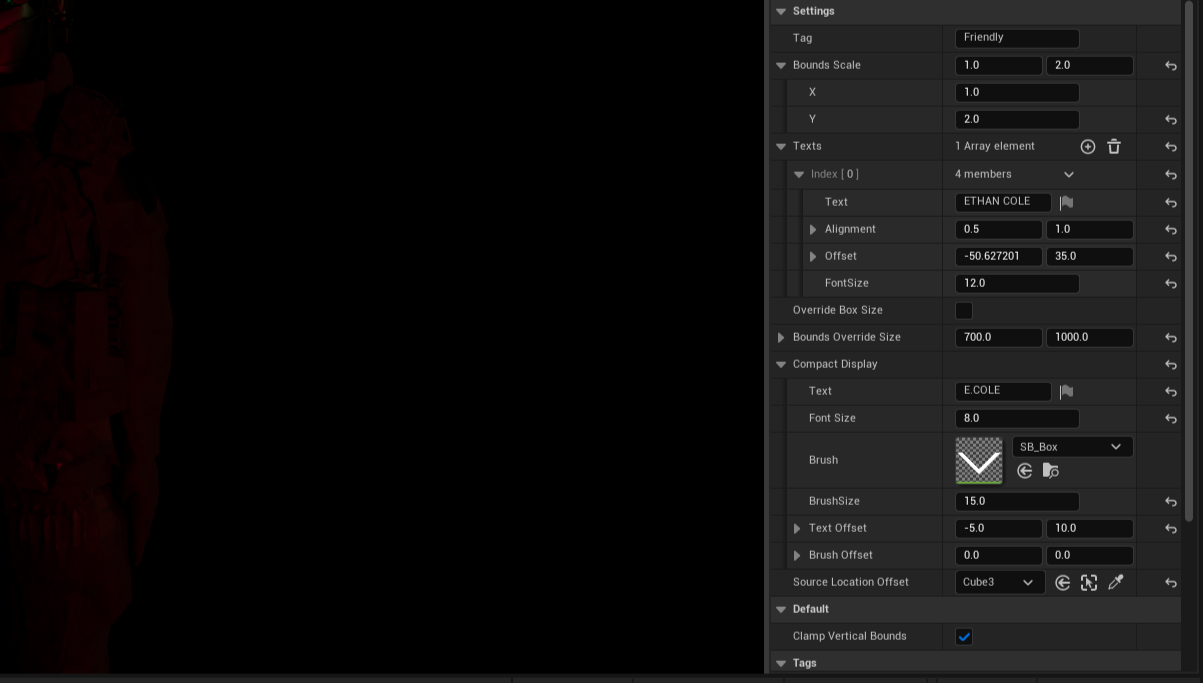
| Tag | Name | Identifier for the tracker to find. |
| Bounds Scale | Vector2D | Adjusts the X/Y size of the bounding box. |
| Texts | Array of Structs | An array where each element defines a text display. Struct includes: Text (string), Alignment (Vector2D), Offset (Vector2D), and FontSize (float). |
| Compact Display | Struct | Settings for when target is far (Text: "E.COLE", Font Size, Brush icon). |
| Follow Socket Offset | Name | Useful for skeletal meshes with root animations where the actor's pivot point doesn't update. This allows the bounding box to track the offset of a designated socket or bone. |
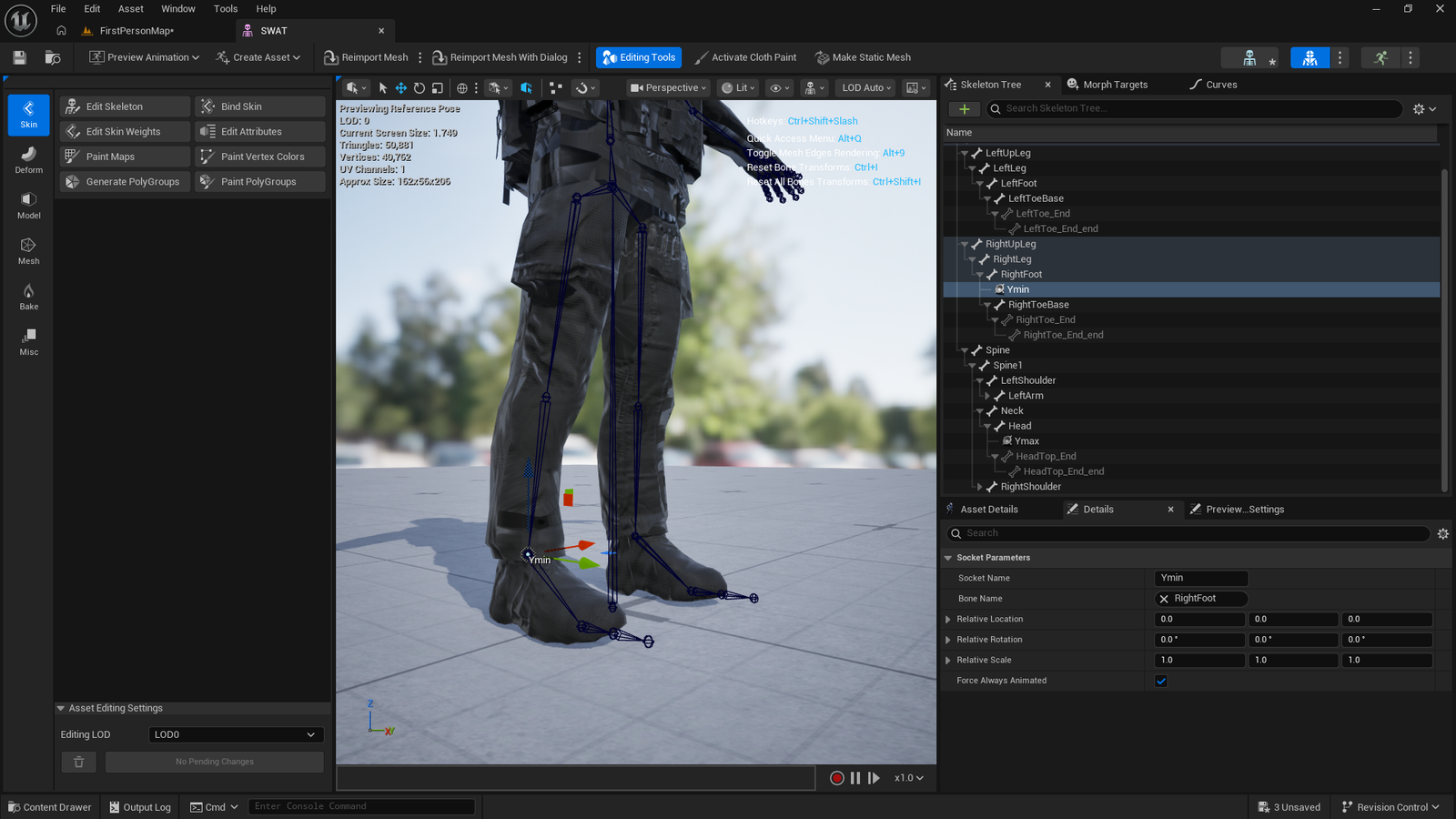
| Limit Box Height to Sockets | Boolean | When enabled, restricts the vertical height of the bounding box to precisely fit between two specific sockets (Ymin and Ymax) defined on the skeletal mesh. |
Performance
The Tracking Overlay system is highly optimized, but fine-tuning the following settings can drastically reduce CPU overhead, especially when tracking multiple targets simultaneously.
| Setting | Type | Impact & Optimization |
|---|---|---|
| Tick Interval | Float | Increasing this value (e.g., to 0.05) reduces how often the system updates, saving CPU cycles at the cost of slightly less smooth tracking. |
| Render Tolerance | Float | Determines the view angle tolerance. Lowering this prevents the system from processing targets just outside the immediate field of view. |
| Full View Distance | Float | Culls targets beyond this distance from rendering and updating entirely. Keep this as low as possible for your specific gameplay needs. |
| Override Box Size | Boolean / Vector |
Highly Recommended for Performance. When enabled, this setting bypasses the constant bounds calculations for target actors. Instead of dynamically calculating the mesh bounds every frame, it simply displays a specified fixed box size scaled by distance. This significantly reduces the performance cost when tracking complex skeletal meshes. Recommended if the level has many actors and does not require precision in calculating bounds. |
Previews
Visual demonstrations of the system's key features and settings in action.