Overview
Create dynamic air currents, river flows, conveyor forces, and other directional force fields using an intuitive spline based blueprint. Designed to be easy to set up, highly customizable, and suitable for a wide variety of gameplay scenarios.
Features
- Easy spline based setup.
- Simulate air, water, and other directional currents.
- Supports both physics simulated actors and other actors not simulating physics.
- Three force types included:
- Moving Force to push actors along the spline.
- Aligning Force to smoothly orient actors with the flow direction.
- Center Attraction Force to pull actors towards or away spline center while moving.
- Per actor options using the included Actor Component.
- Filter affected actors by Tags and Collision Class.
- Customizable mesh collision settings.
- Built in debug visualization for easy setup and troubleshooting.
Installation
- Download the system from Fab.
-
Add BP_SplineForce to your scene – place it anywhere you want the force field to affect actors.
-
Add the SplineForceHandle Component to any actor you wish to be affected. Ensure that the actor’s object type is included in the collision filter of BP_SplineForce.
The system is now fully functional and ready to use.
Settings
Below are all the exposed variables for tuning the Spline Force System. They are grouped into two categories: the main BP_SplineForce actor and the per‑actor SplineForceHandle Component.
BP_SplineForce Settings
Collision Mesh Settings
- Cube Mesh Collision – Replaces the cylindrical collision mesh with a cuboid one.
- Collision Filter – Only actors with matching Object types will be affected; others are ignored.
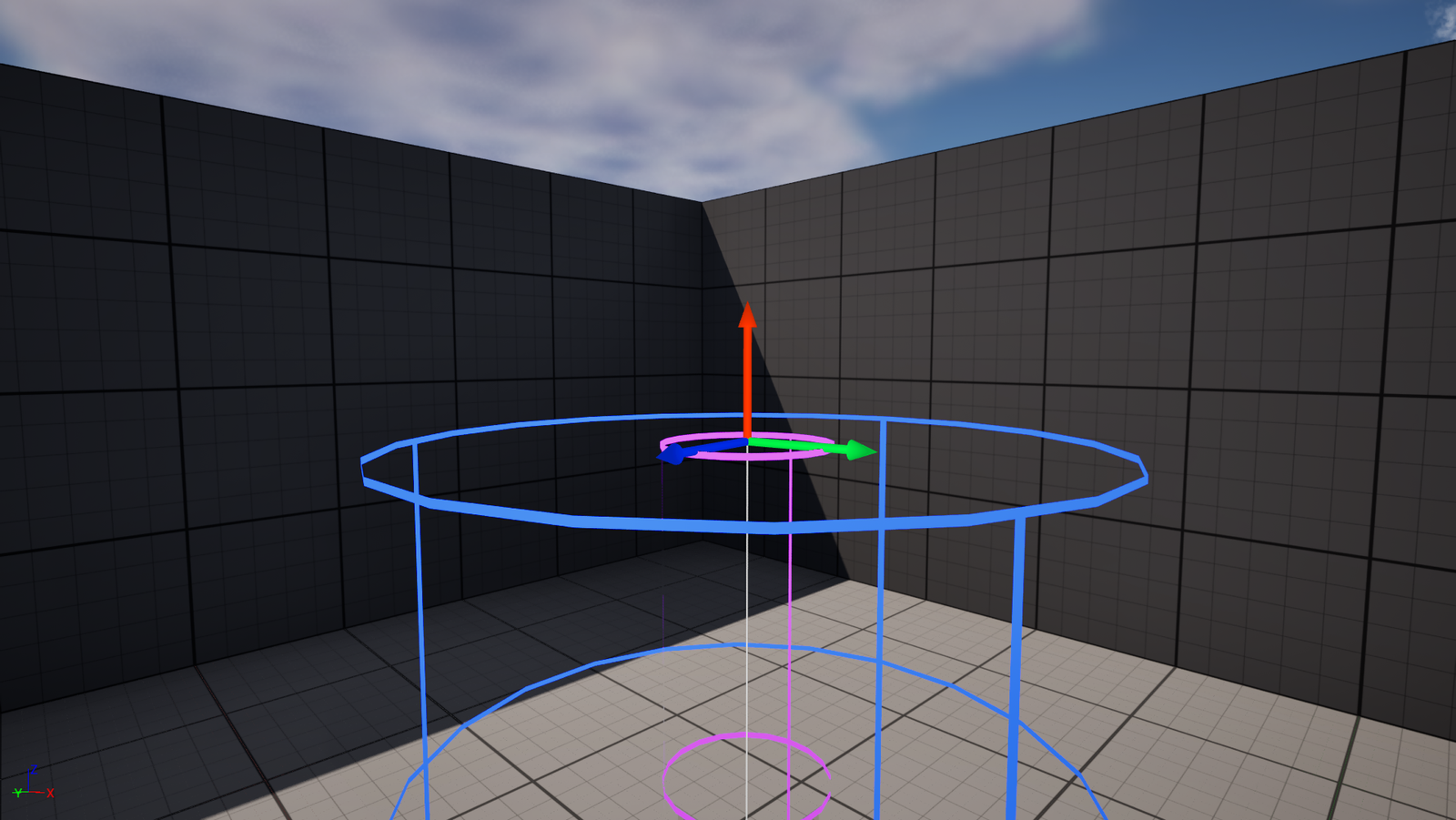
- Falloff Radius – Controls the radius of the outer mesh where the effect begins to apply.
- Full Power Force Radius – Controls the radius of the inner mesh where the force is applied at full strength.
- Mesh Spacing – Lower values create more mesh sections for smoother turns.
Force Settings
- Is Enabled – Toggles the force effect on or off.
- Force Multiplier – Scales the overall force strength of the spline.
For physics‑simulating actors:
- Add to Current Velocity – When enabled, the force is added to the actor’s existing velocity (ideal for winds and water currents). When disabled, the force replaces the actor’s velocity entirely (like a UFO tractor beam).
-
- Mass Affects Force – Includes the object’s mass in the force calculation.
- Mass Reference – The mass value at which the force multiplier is 1×. Masses above or below scale the force accordingly.
Central attraction force:
- Central Attraction Force Weight – Determines how much of the forward force is replaced by a pull toward the spline center. 0 disables central attraction, 1 completely replaces forward force with central force.
- Central Force Intensity – Multiplier for the central pulling force. Negative values repel objects from the spline center.
Debug
- Toggle Collision Mesh Visibility – Shows or hides the collision meshes for easier setup and debugging.
- Outer / Inner Mesh Color – Change the display color of the falloff and full‑power meshes to better distinguish them.
- Gizmo Arrows – Display arrows at each spline point to visualize the rotation of the spline.
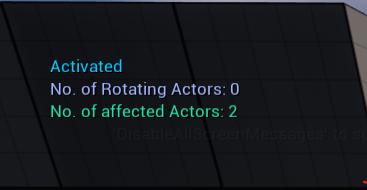
- Print String (State & Counts) – Outputs the current state of the spline blueprint and the number of actors affected by each force type (moving, aligning, and central attraction) to the screen.
SplineForceHandle Component Settings
The SplineForceHandle Component provides per‑actor overrides for the spline force. The following settings allow fine‑tuning the effect on individual actors.
- Move with Force (Boolean) – Enables the moving effect of the spline.
- Align with Force (Boolean) – Directs the specified component(s) toward the direction of the force.
- Forward Axis – Changes the forward axis of the affected components; useful when objects aren’t oriented correctly.
- Rotation Adjustments – Additional tuning for object orientation relative to the force.
- Rotation Speed – How quickly the object rotates to face the direction of the force.
- Affected Component Tag – Only components with this tag will be affected by rotation force. (Tag is not needed for moving objects, as the moving force affects the whole actor.)