Overview
Easy to use and implement smear effect for your Unreal Engine 5 project. Creates beautiful motion trails that follow fast‑moving objects, perfect for projectiles, combat abilities, character animations, or any dynamic movement.
Customization
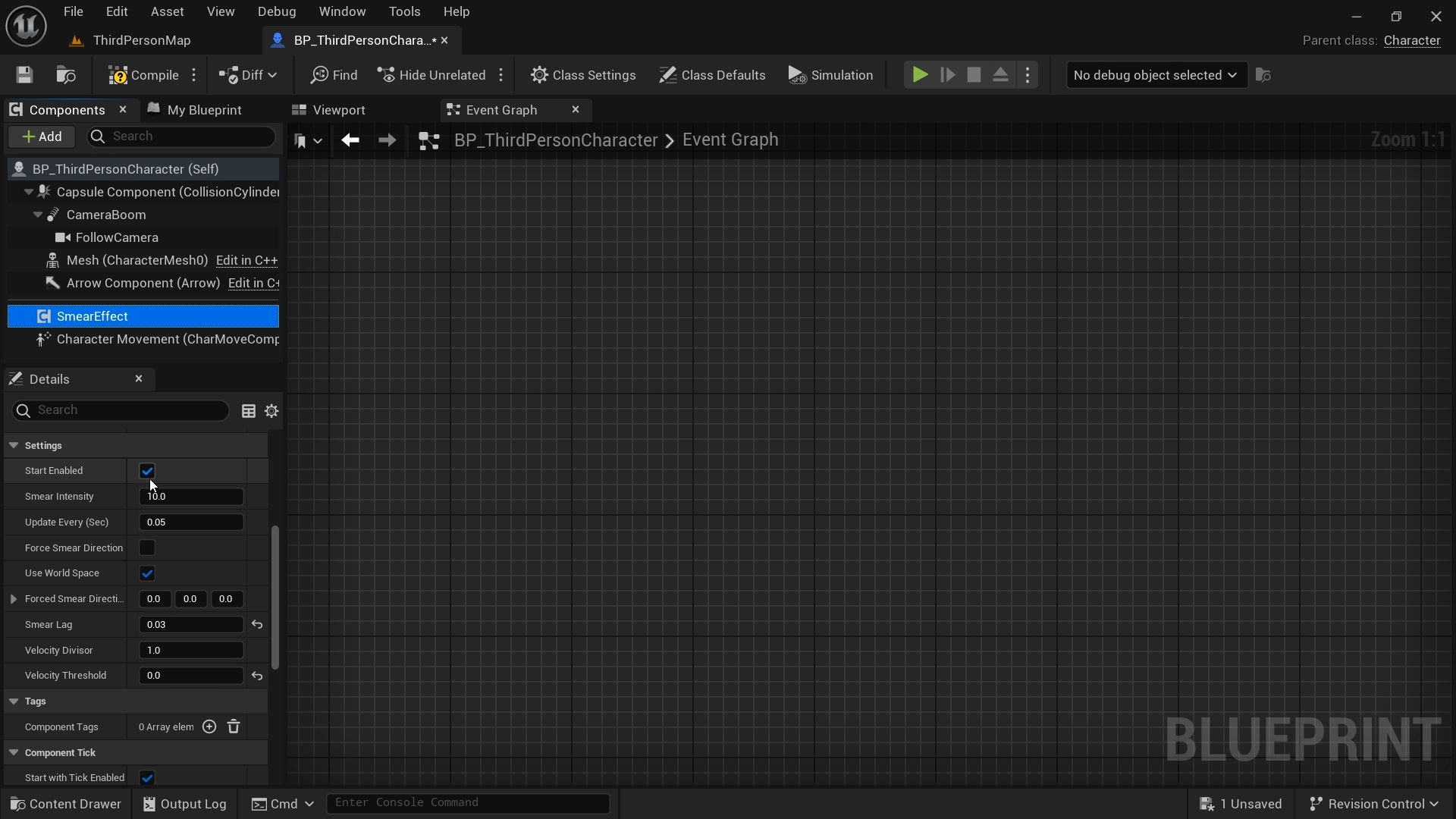
- Smear Intensity – Control how strong the smear effect appears.
- Catch‑Up Lag – Adjust how quickly the smear catches up to the moving object.
- Velocity Threshold – The smear activates only when the object reaches a specified speed.
Smear Direction Modes
- Velocity – The smear follows the object's movement direction. Useful for projectiles.
- World Direction – Uses a fixed smear direction regardless of the actor’s rotation.
- Local Direction – The smear rotates with the actor. Useful for character animations and animated objects.
Implementation Methods
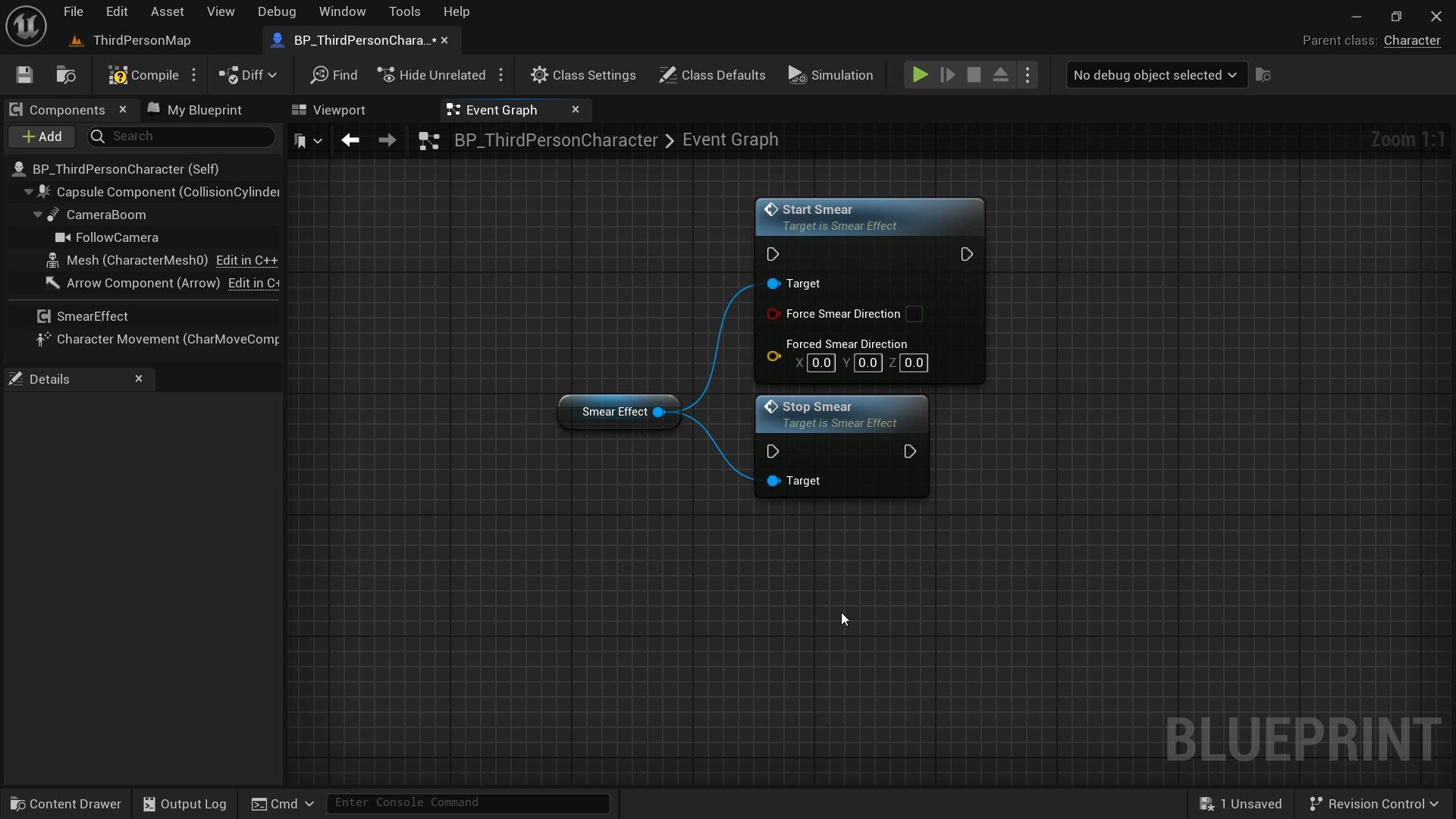
- Blueprint – Drag and drop the component, call Start Smear / Stop Smear.
- Actor Component – Add Smear_Effect to any actor, tweak parameters in the details panel.
-
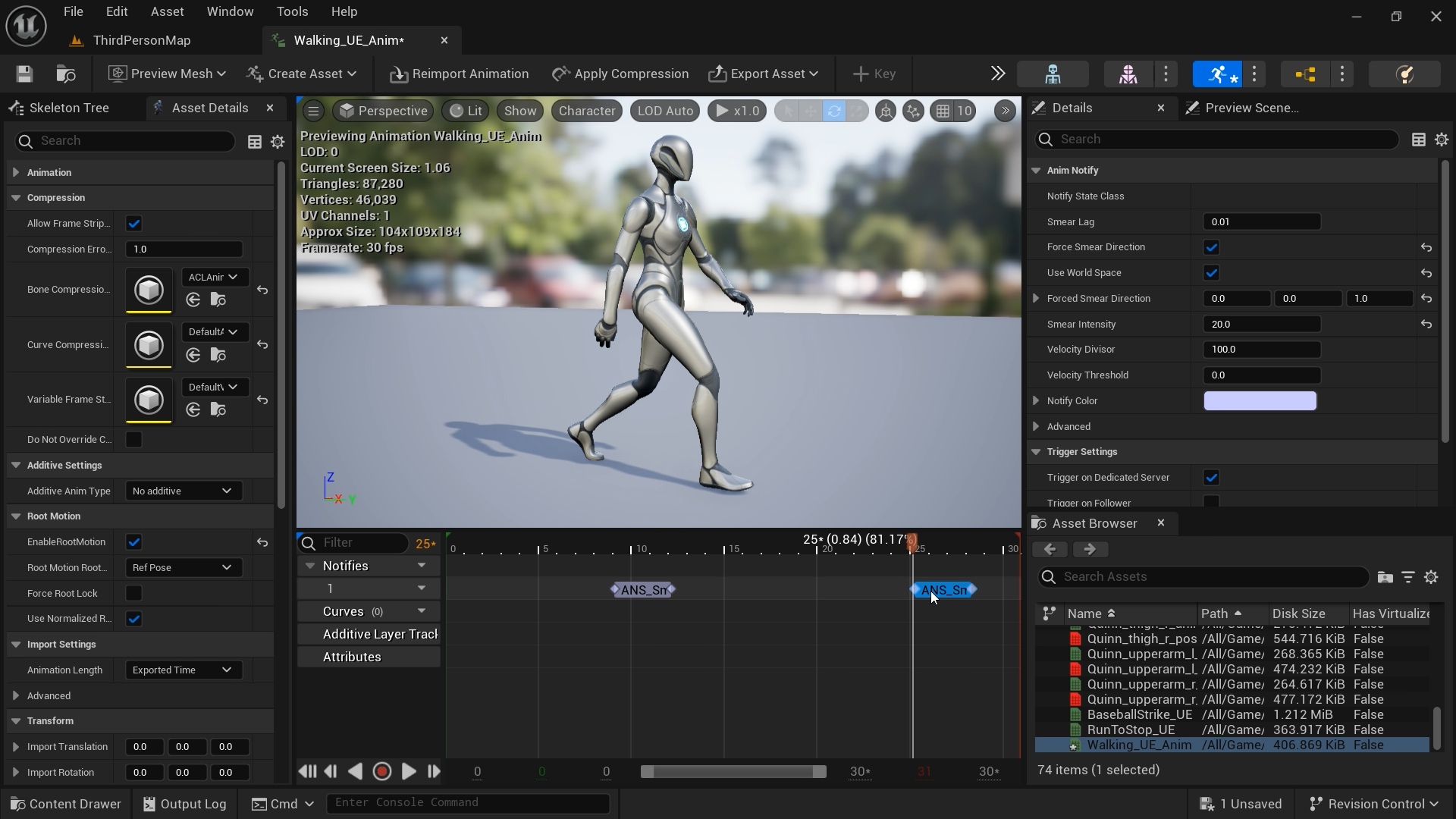
Animation Notifies – Trigger smears during specific animation frames (e.g., sword swings, dash attacks).
How to Install
- Open the Fab store and search for Smear Effect.
- Click “Add to project”.
- Add Smear_Effect component to your target actor.
- Add and connect MF_Smear to World Position Offset of the target actor's material.
- In the component details, adjust parameters to your liking.
- Select the direction mode (Velocity / World / Local) based on your needs.
- Enable this effect inside a Blueprint, by enabling "Start Enabled", or through Animation Notify States.
Notes
- This effect uses a material function to displace vertices, so the lower the poly count, the fewer vertices are available to smear.
- Smear lag is used with AnimeNotifyStates where there isn't velocity registered to smooth smears
Changelog
- Initial release
- Better Direction Handling
- 'Disable Smear' option, to disable smear all together during runtime
- 'Record Max Velocity' option to calibrate your Velocity Divisor and achieve smoother smearing.
May 5, 2026 (v1.0.0)
May 7, 2026 (v1.0.1)